Update
How do you update a fork if you want to stay up to date with the changes made since your forked a repository?
There are 5 steps in the GUI
There are 5 steps in the GUI.
Step 1
You should see something that indicates your fork is behind the original repository.
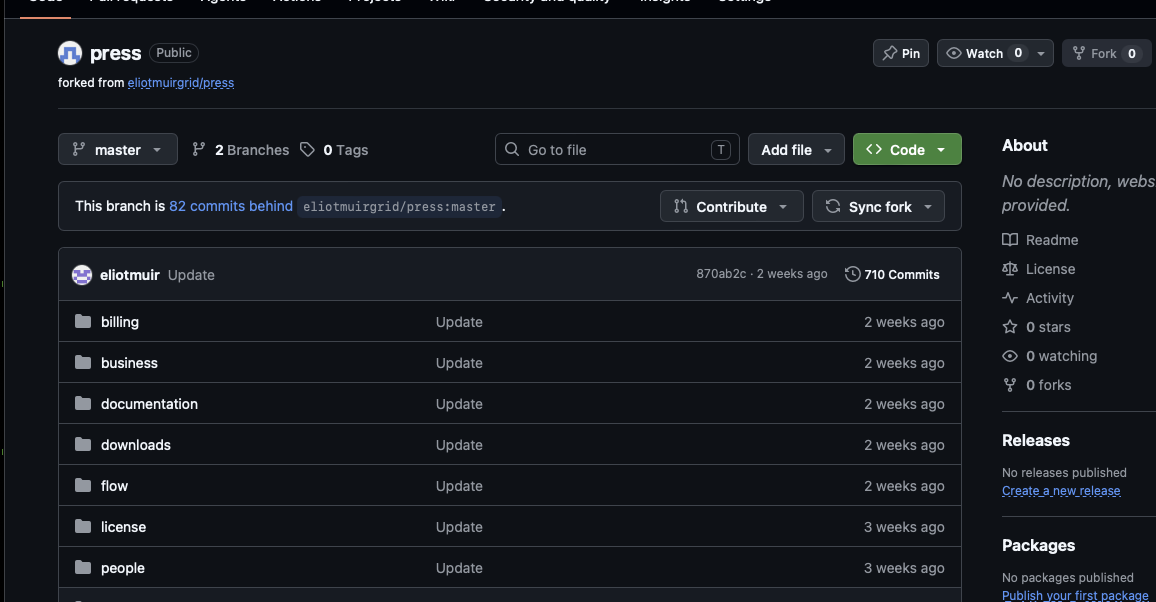
Click Sync fork.
Step 2
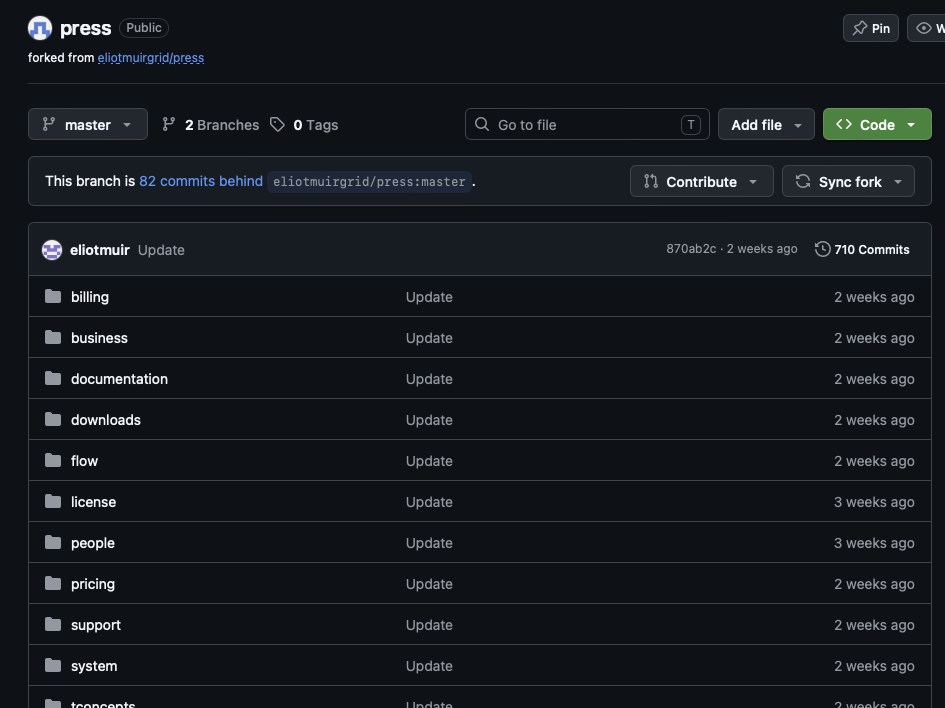
Click Contribute, then Open pull request.
Step 3
GitHub will show the changes between the two repositories.
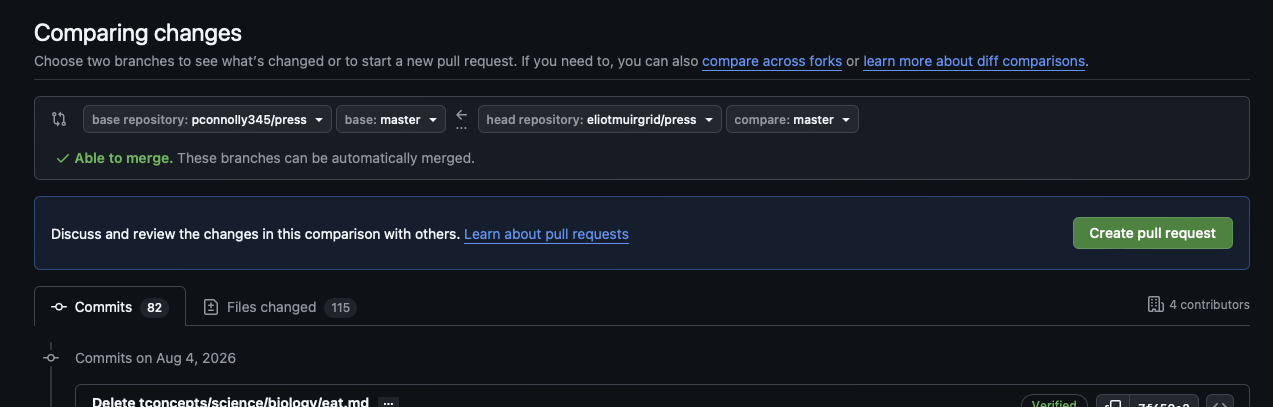
Check that:
- base repository is your fork
- base is
master - head repository is the original repository
- compare is
master
You should see Able to merge.
Click Create pull request.
Step 4
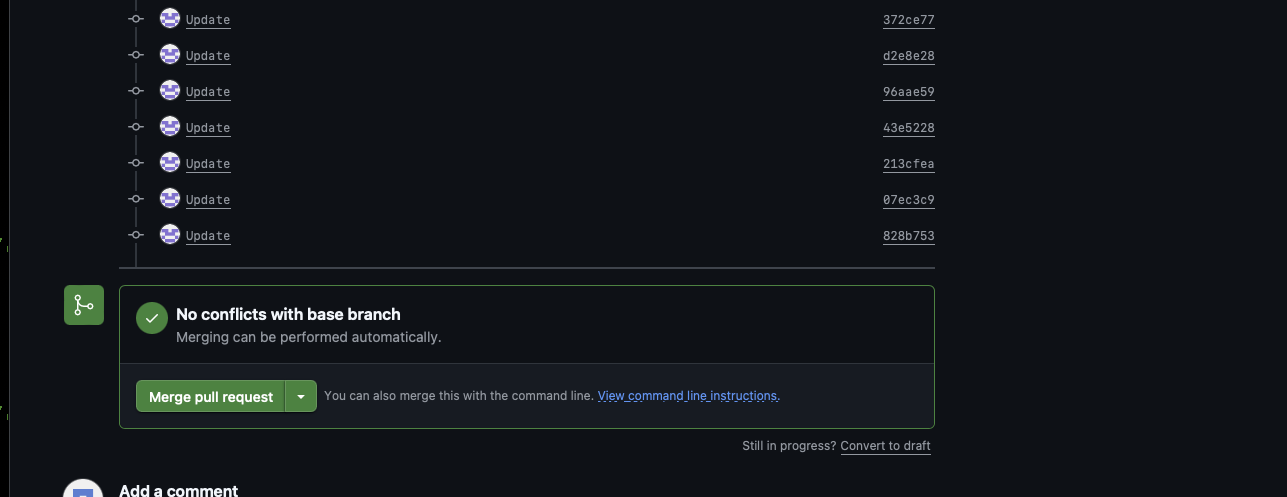
GitHub will create the pull request.
You should see No conflicts with base branch.
Click Merge pull request.
Step 5
I forgot to get a screenshot for this step.
Click Confirm merge.
Your fork should now contain the latest changes from the original repository.